
This process take place following the setup process, which consists of Selecting Frame Size and Setting the Centre.
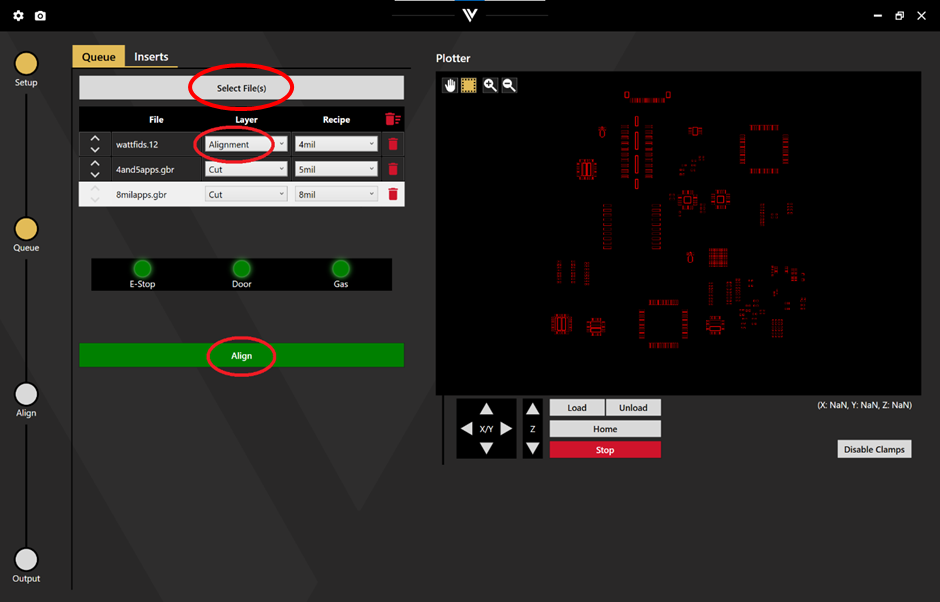
Once files are selected and the appropriate layers and recipes are set, click Align to begin the alignment/realignment process. The appropriate thickness of recipe is required to lower the camera for alignment.
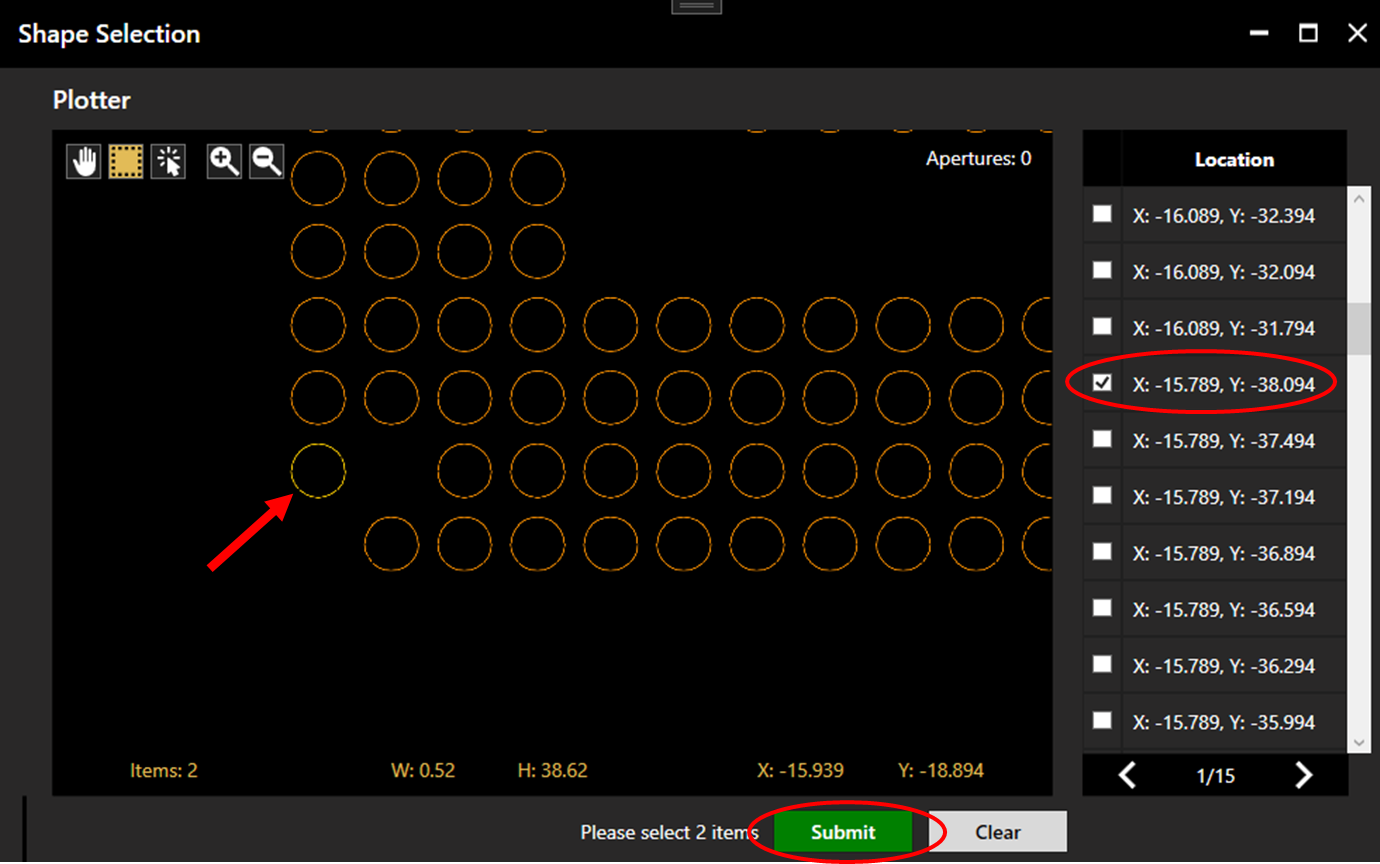
If the alignment file contains more than one aperture, the operator will be requested to select alignment points by clicking two apertures within the plotter or the location list. Chosen apertures will be coloured yellow. Once two apertures are selected, click Submit.
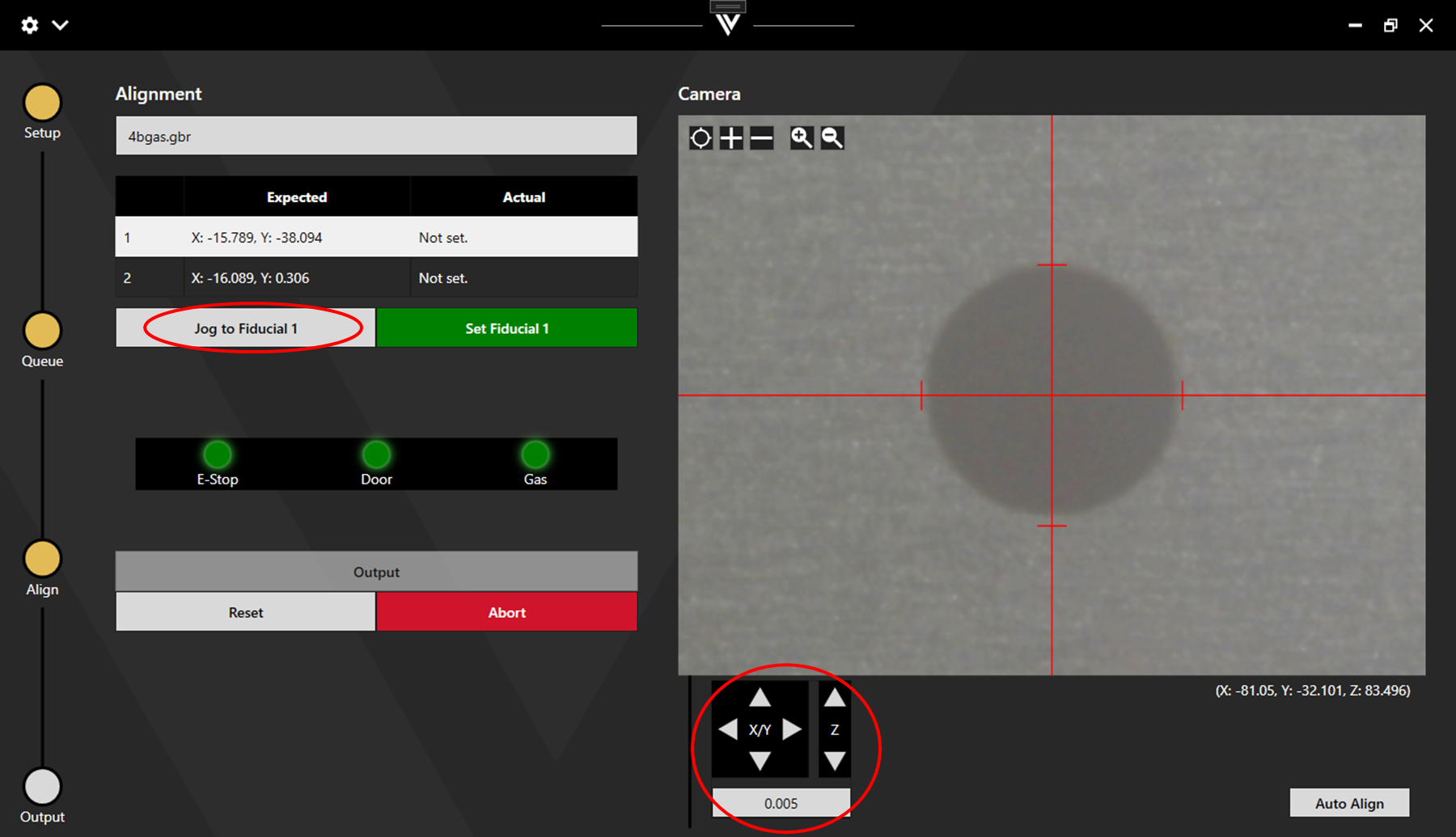
Jog to the expected location of fiducial 1 and align to the centre of the aperture using the X/Y controls.
The size of the movement step can be adjusted for precise movement. The size of the crosshair can be adjusted using the plus and minus buttons.
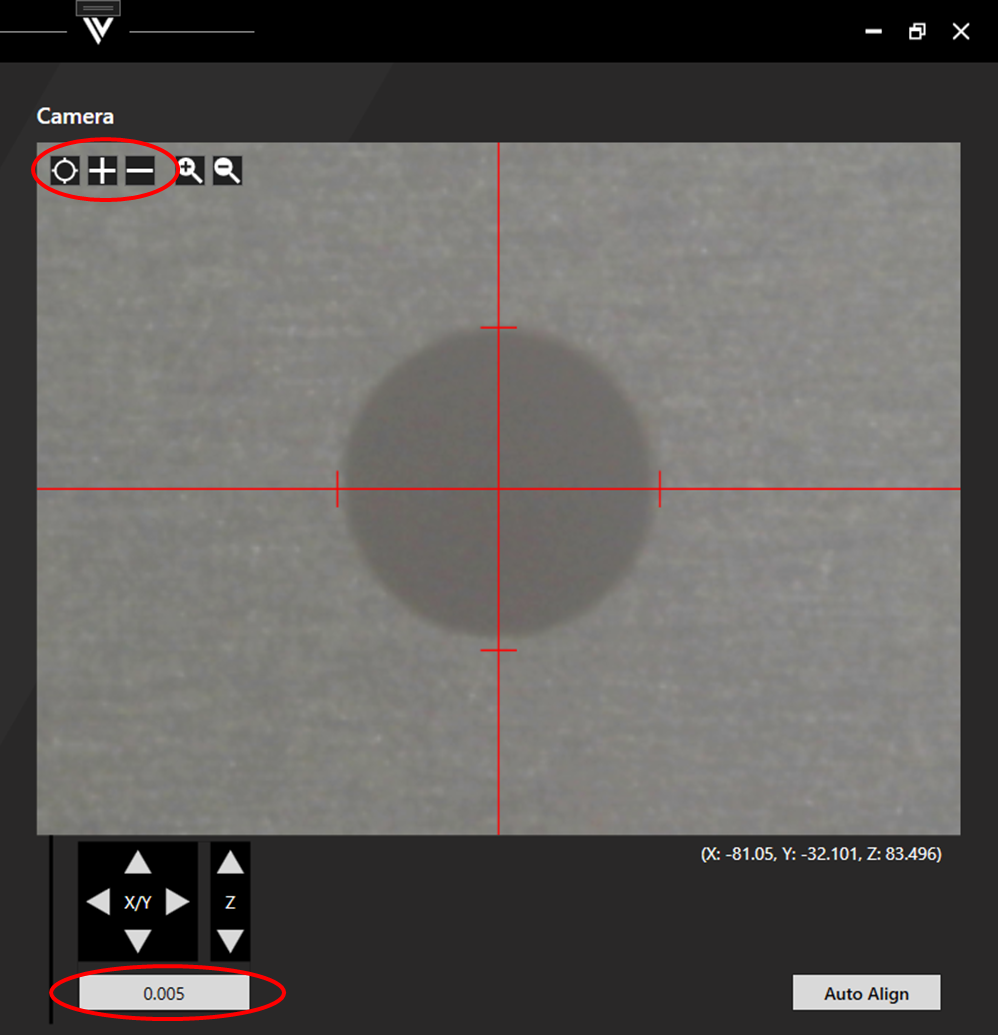
Once the crosshair is properly aligned, click Set Fiducial 1 and then repeat the process for fiducial 2.
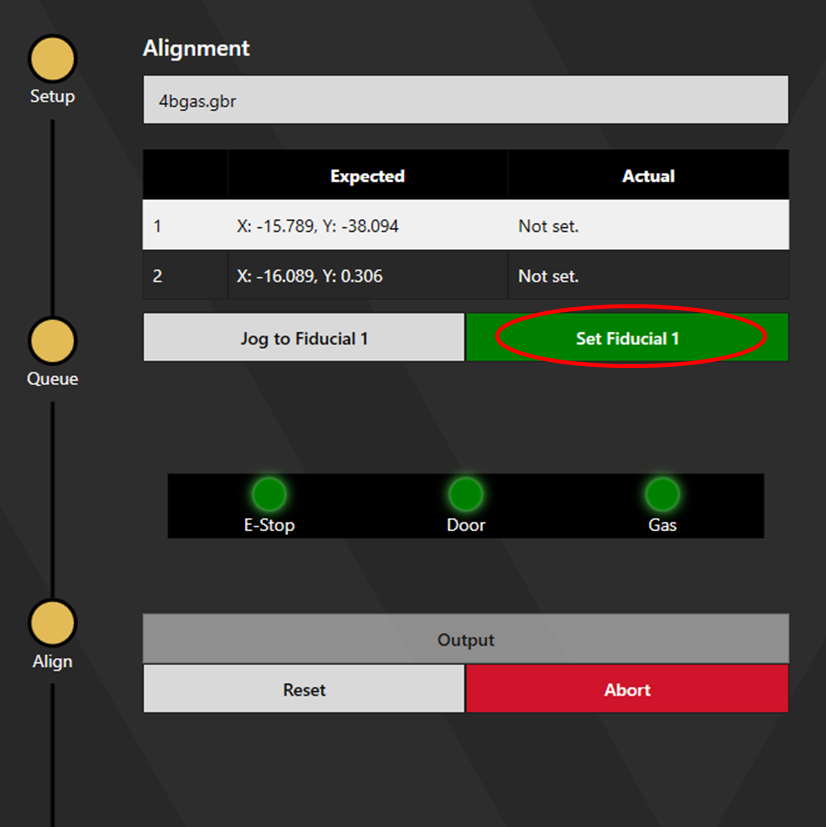
The 3 safety lights ensure that you cannot output while the E-stop is actuated, the door is open, or the cutting gas is not up to a sufficient pressure. Once all 3 lights are green, click Output to begin cutting.