
Load a stencil into the machine and enable the clamps. Position the laser head above a clear section of the stencil, well clear of the fixtures.
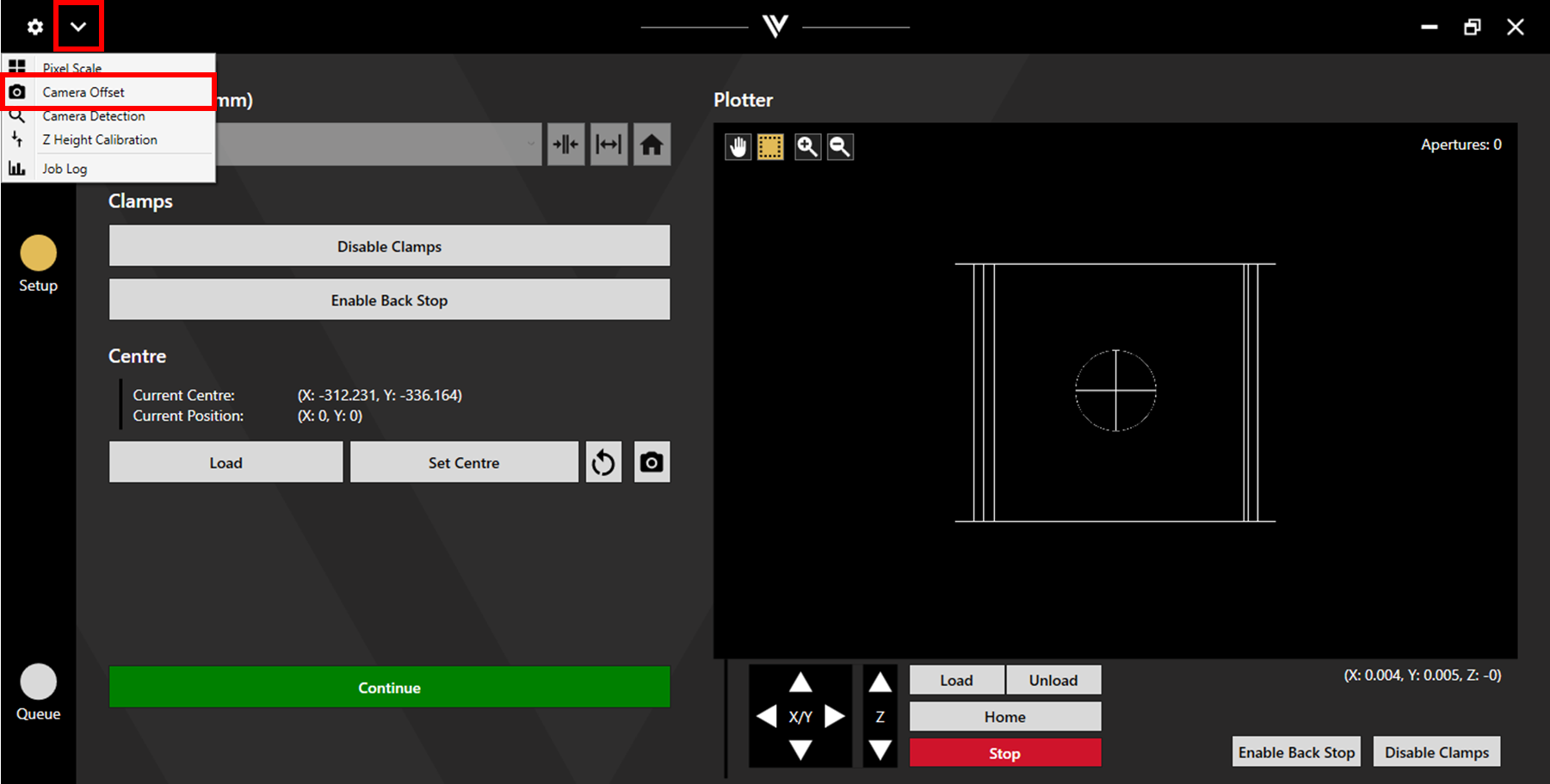
Click on the dropdown menu in the upper left corner and select Camera Offset.
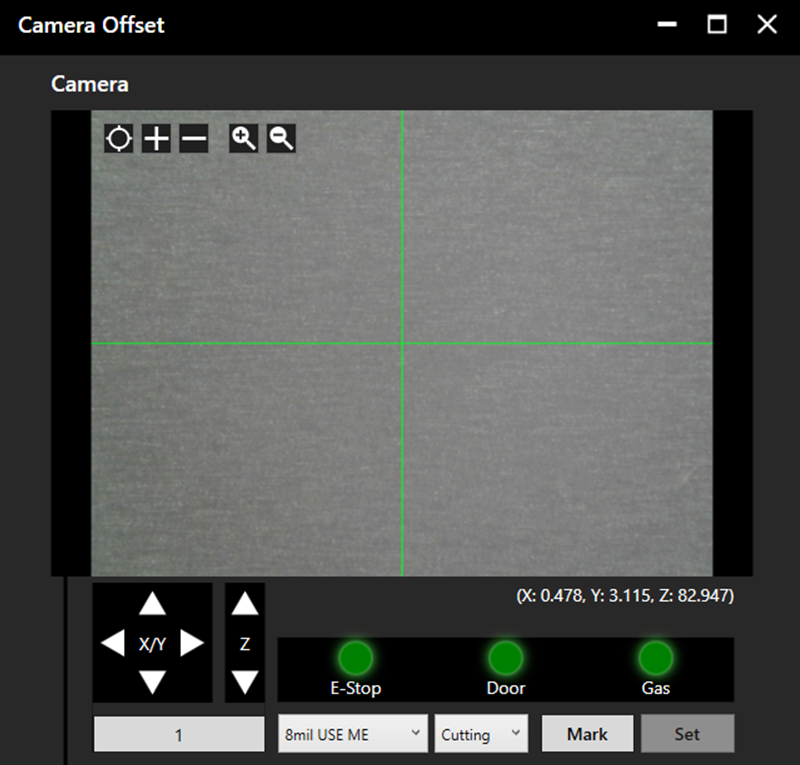
The Camera Offset window will open. Select the appropriate recipe and process for the loaded stencil and click Mark.
The laser will output, then move to position the camera over the expected location of the mark/aperture. Align the camera to the mark/aperture then click Set.
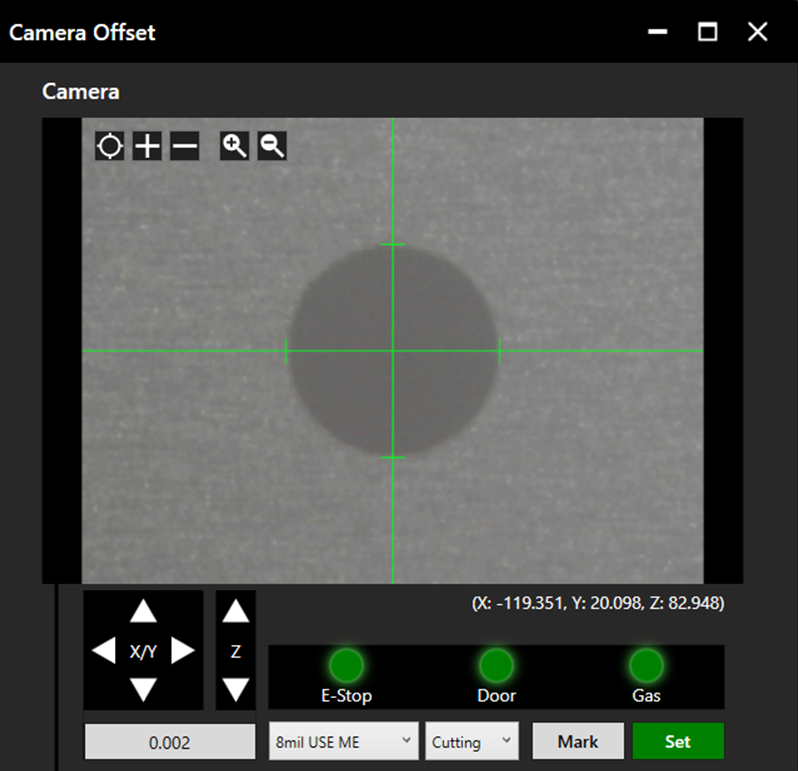
The camera offset value has now been updated.