TABLE OF CONTENTS
Creating and Editing Structuring Recipes
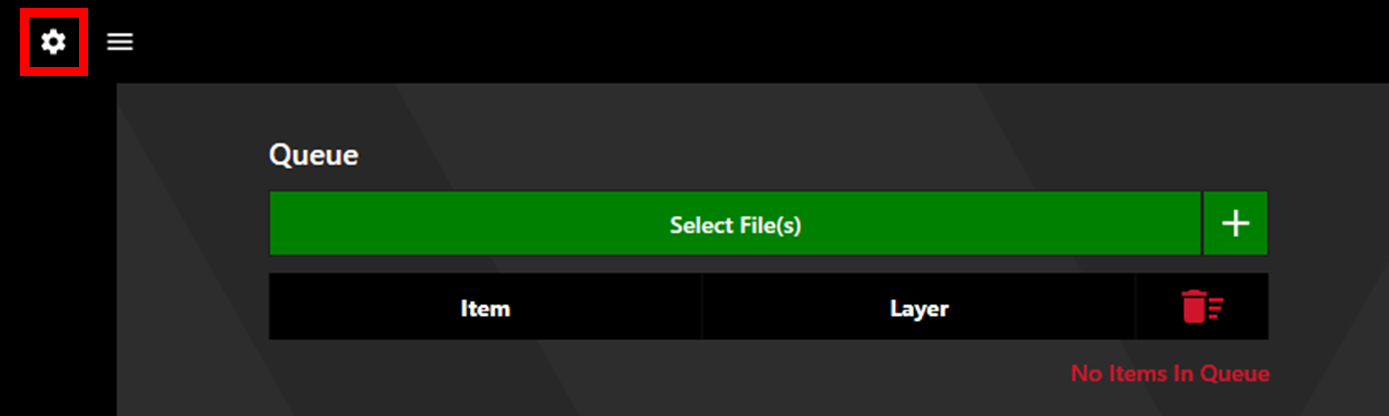
To create and edit structuring recipes, access Settings by clicking the settings cog in the upper left corner.
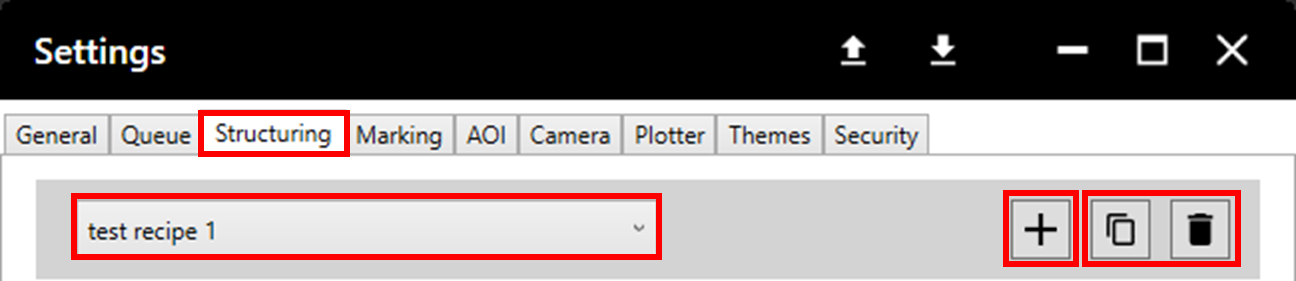
Select the Structuring tab. Any existing structuring recipes are available to edit via the dropdown menu. To create a new recipe click the '+' icon. Recipes can be duplicated and deleted using the copy and delete buttons. Click Save to avoid losing changes.
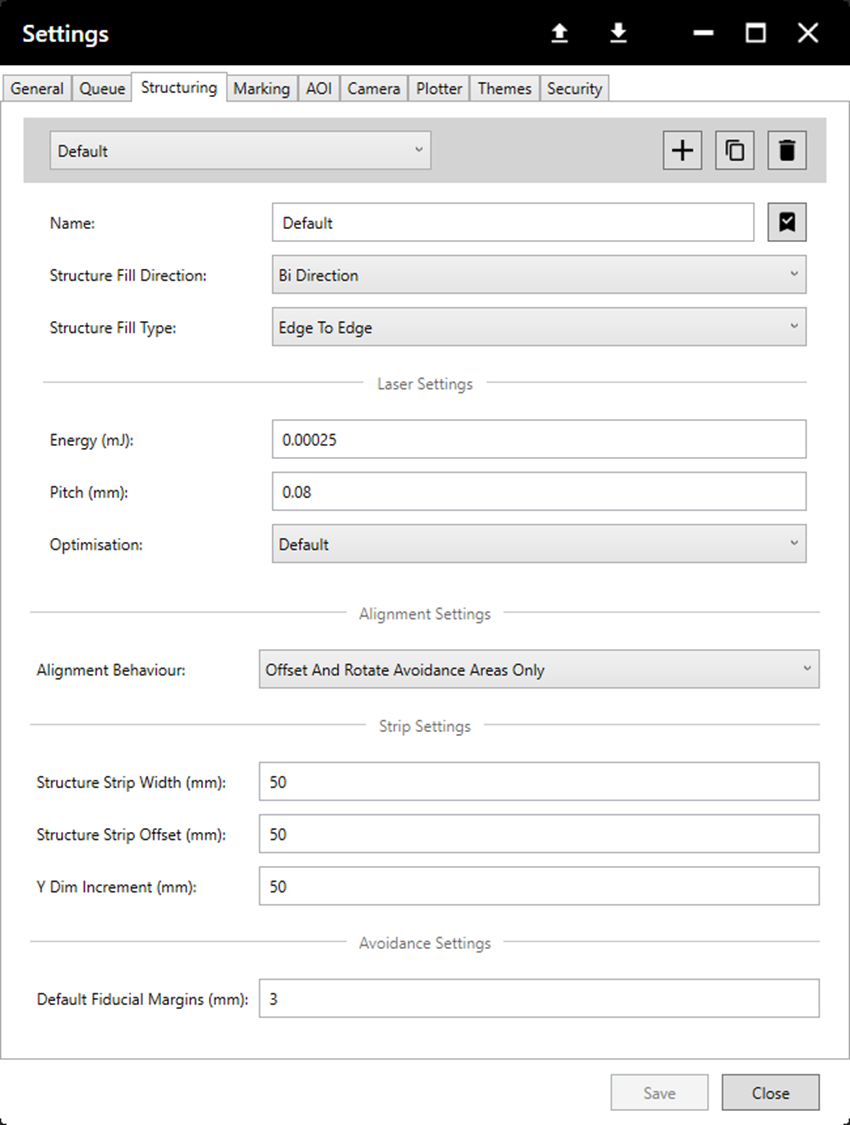
Recipes consist of various parameters, the table below explains what each parameter means.
| Field | Description |
| Name | Name used to identify the recipe. |
| Structure Fill Direction | Determines whether the fill is marked entirely from left to right or alternates each row. |
| Structure Fill Type | Pattern used for the fill. |
| Energy | Energy in millijoules used to structure. |
| Pitch | Spacing between laser pulses in millimetres |
| Optimisation | Speed of structuring - lower speed can increase accuracy. "Speed" is full speed, "Default" is half speed, "Quality" is quarter speed. |
Further Structuring Settings
Within the Structuring tab there are further settings which are not recipe specific. The table below explains these parameters.
| Field | Description |
| Alignment Behaviour |
|
| *Structure Strip Width | Sets the width of each structure strip in millimetres. The overall width of the structure area will round up to the nearest increment of this value. |
| *Structure Strip Offset | Sets the offset between the centres of each structure strip in millimetres. |
| Y Dim Increment | The overall height of the structure area will round up to the nearest increment of this value. |
| Default Fiducial Margins | Sets the size of the unstructured margin surrounding fiducials in millimetres. |
*Setting the strip width greater or less than the offset will result in overlap or gaps between strips respectively.
Sample Recipe and Settings
A standard structuring recipe is shown below, however this may need tweaked depending on the material, desired output, etc.