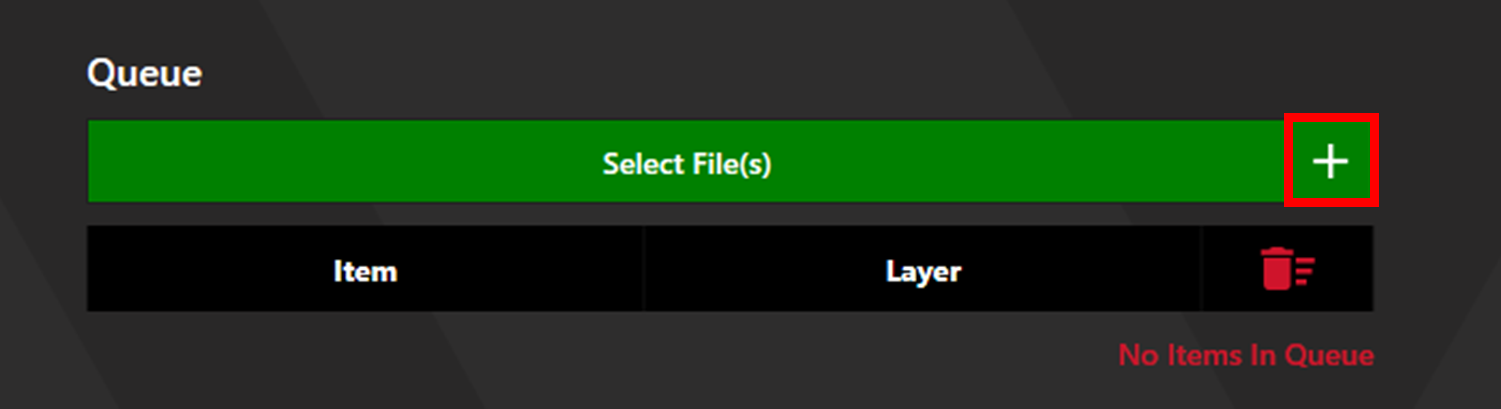
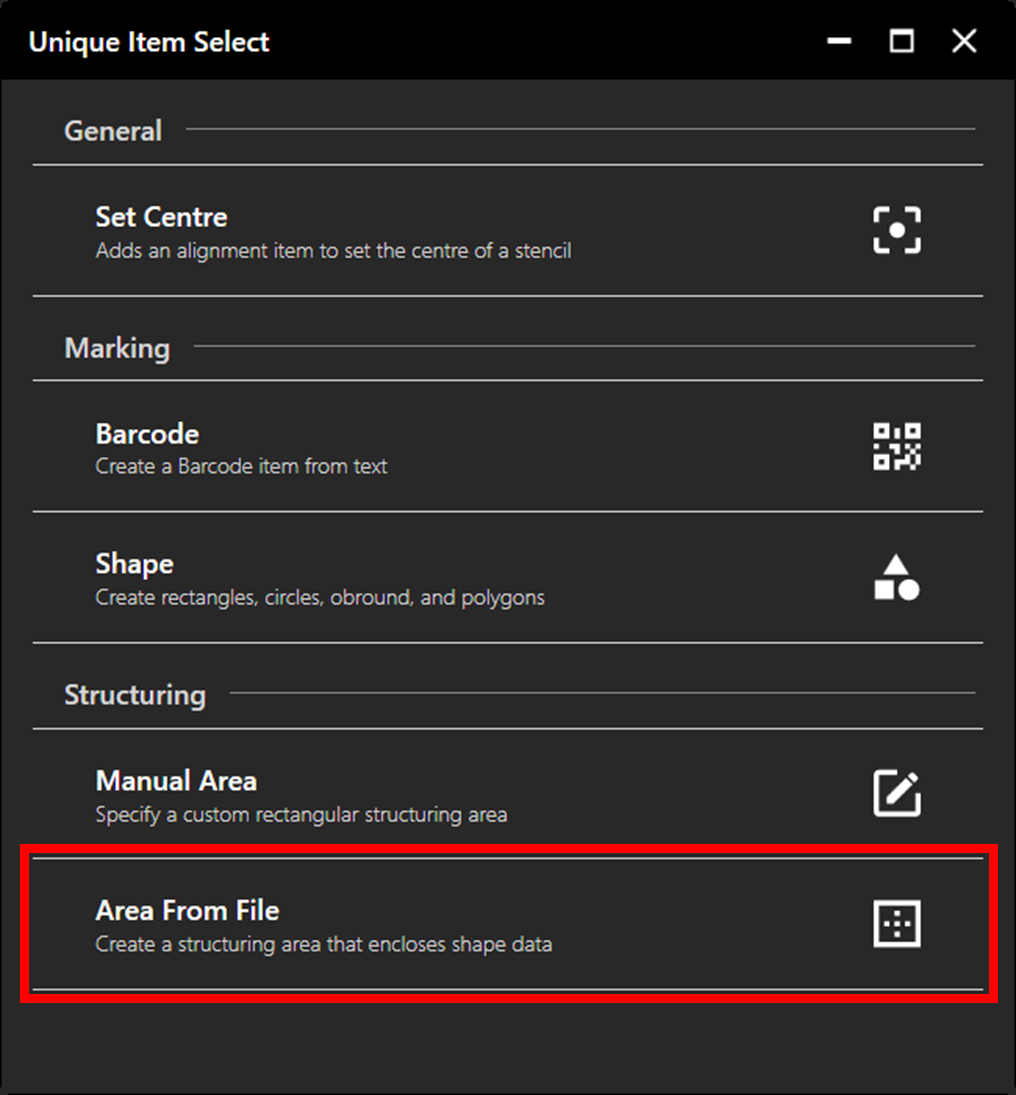
Click the plus button next to the Select File(s) button to access Unique Item Select, then select Area From File.
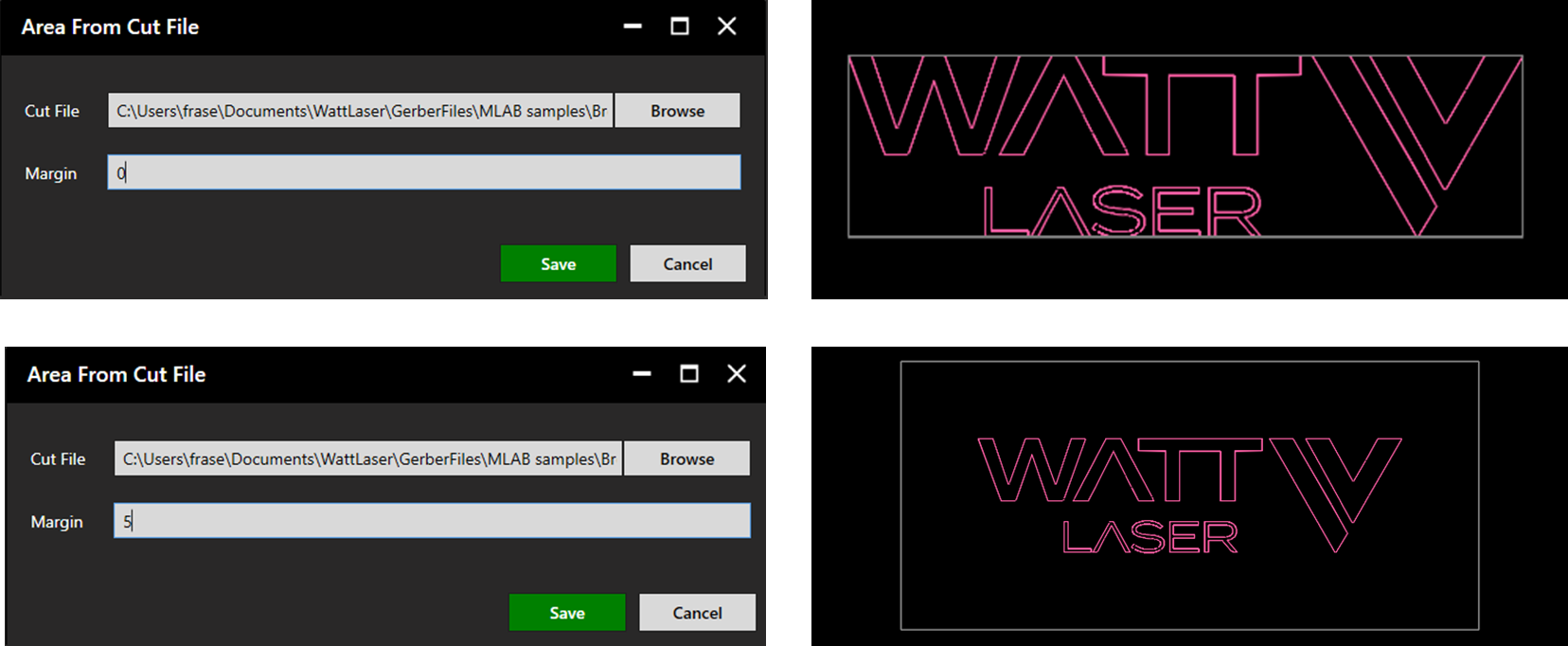
Select the desired file and margin in mm. Once a file is selected, a preview of the chosen margin is displayed in the plotter. Click Save to continue.
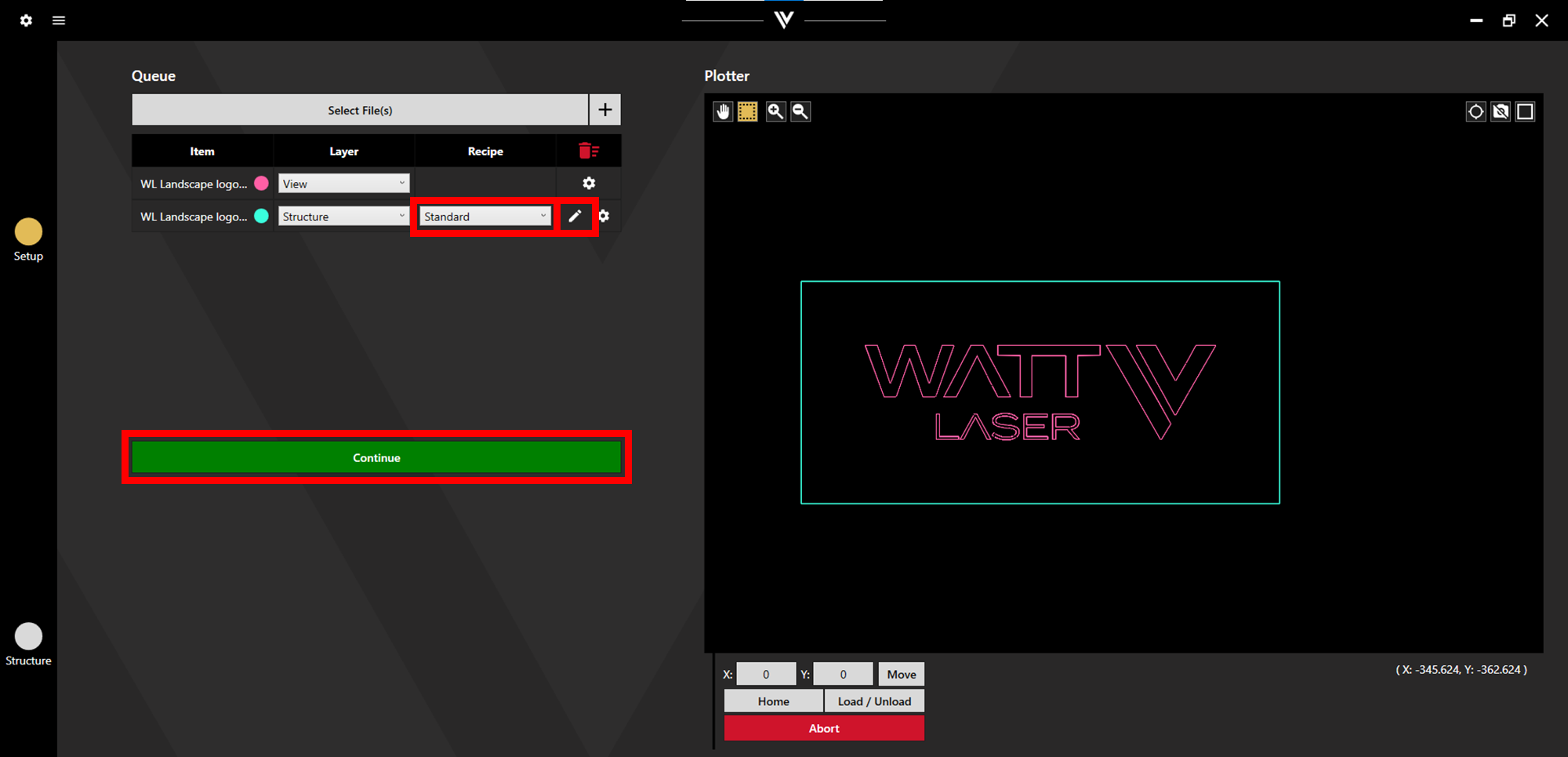
Set the appropriate recipe for the the desired Structuring Settings. Click the pen icon to adjust the file or margins.
Additional files/processes can now be added to the queue, or click Continue to proceed to Preview and Output. For more detail on these final steps see the Structuring Process Manual.