TABLE OF CONTENTS
1. Welding Settings Overview
Access Welding Settings by clicking the settings cog in the upper left corner, then select the Welding tab.
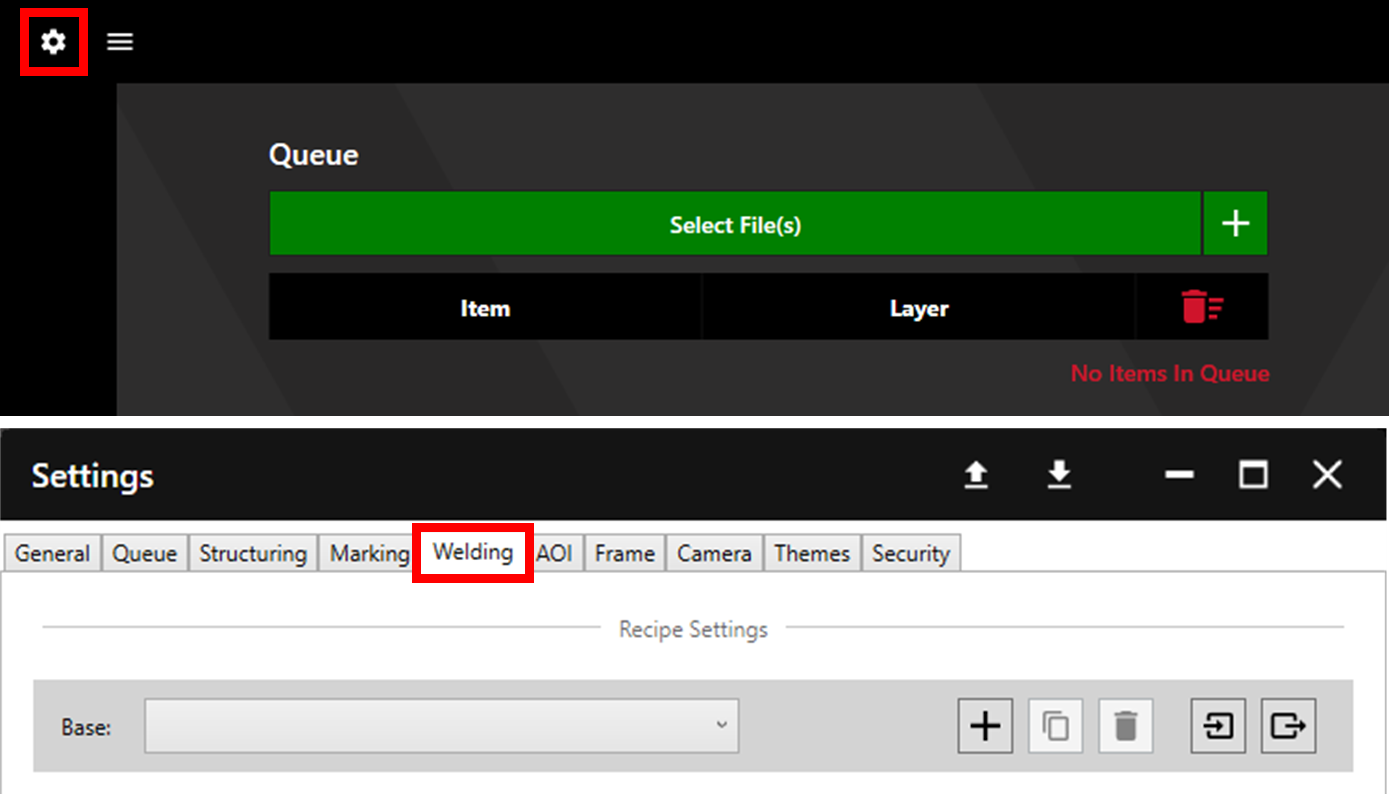
Welding recipes are separated into folders pertaining to the Base thickness (thickness of the stencil used for welding). Each base thickness folder then contains individual recipes for different Step thicknesses (thickness of the insert).
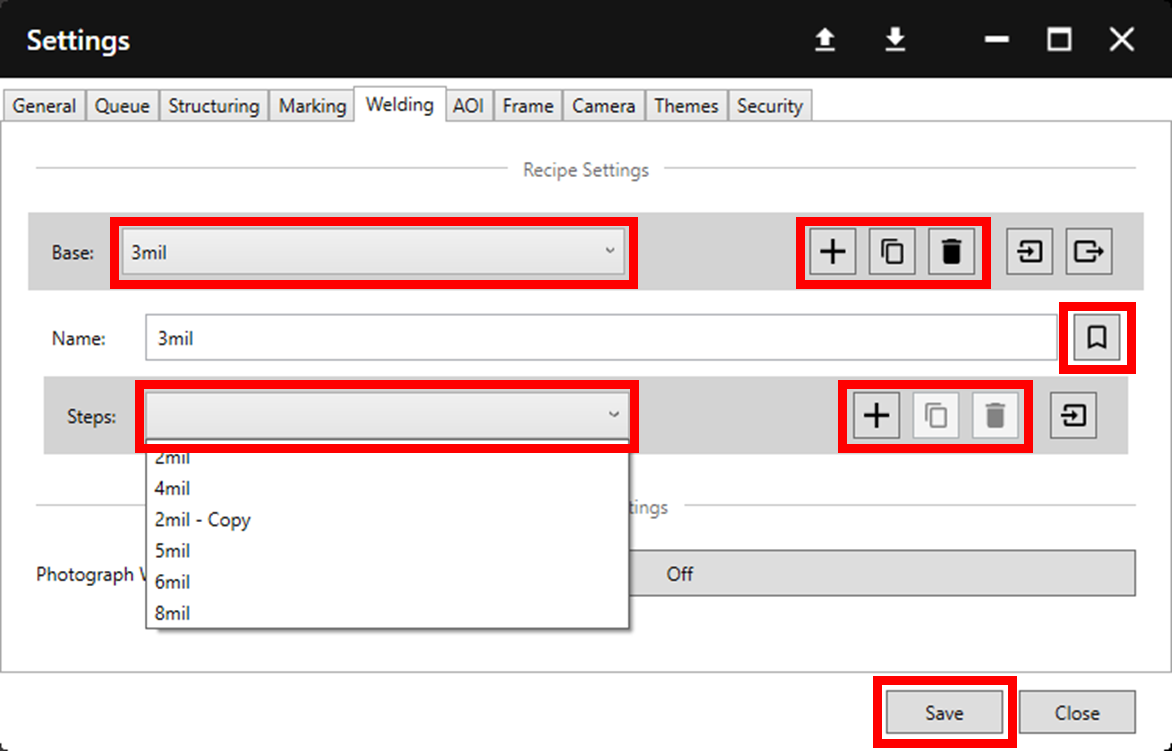
Any existing Base folders are available to edit via the dropdown menu. To create a new folder click the '+' icon. Folders can be duplicated and deleted using the copy and delete buttons respectively. Set a folder to the default by clicking the bookmark button. Click Save to save changes.
Individual recipes within folders can be accessed, created, copied, deleted, and set as default in the same way.
2. Importing Watt Laser Legacy Recipes
To import recipes used in the Watt Laser Legacy app, first create a Base folder and name it accordingly. Then click the import button.
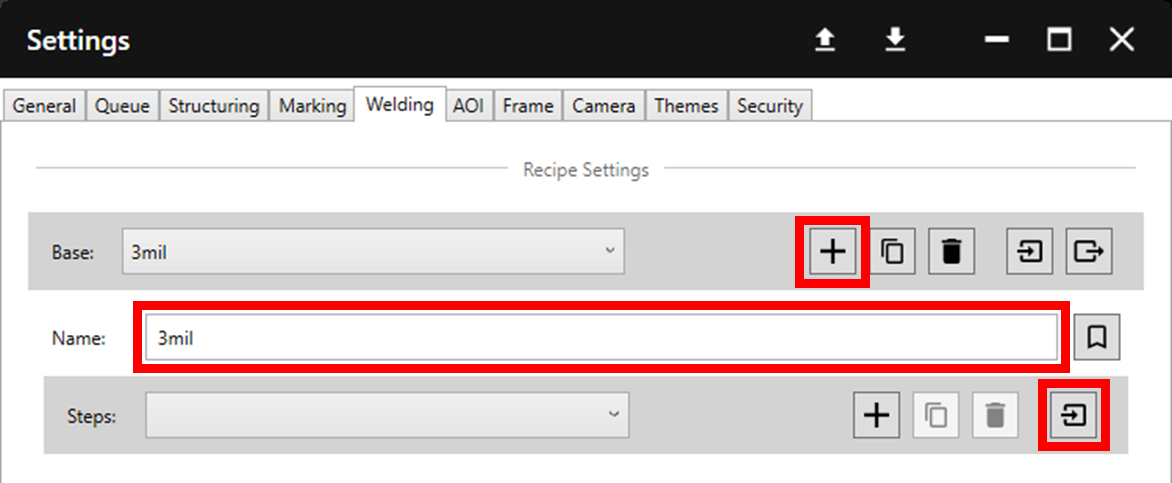
Navigate to the desired recipe files (usually located in Documents > Watt Laser > RecipeFiles) and select all recipes for import. Click Open. These recipes will now be available within the Base folder.
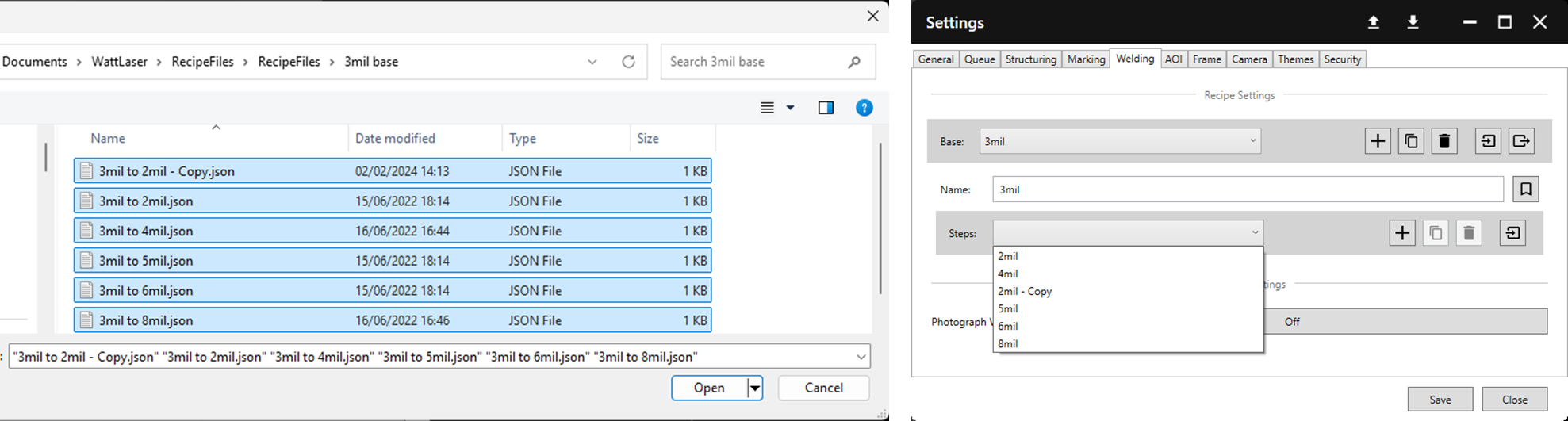
Repeat these steps for each desired Base folder.
3. Recipe Parameters
If creating a new recipe, it is recommended to duplicate a similar recipe and then adjust from there as necessary rather than starting from scratch.
Additionally, it is usually recommended only to adjust the Velocity and Power settings.
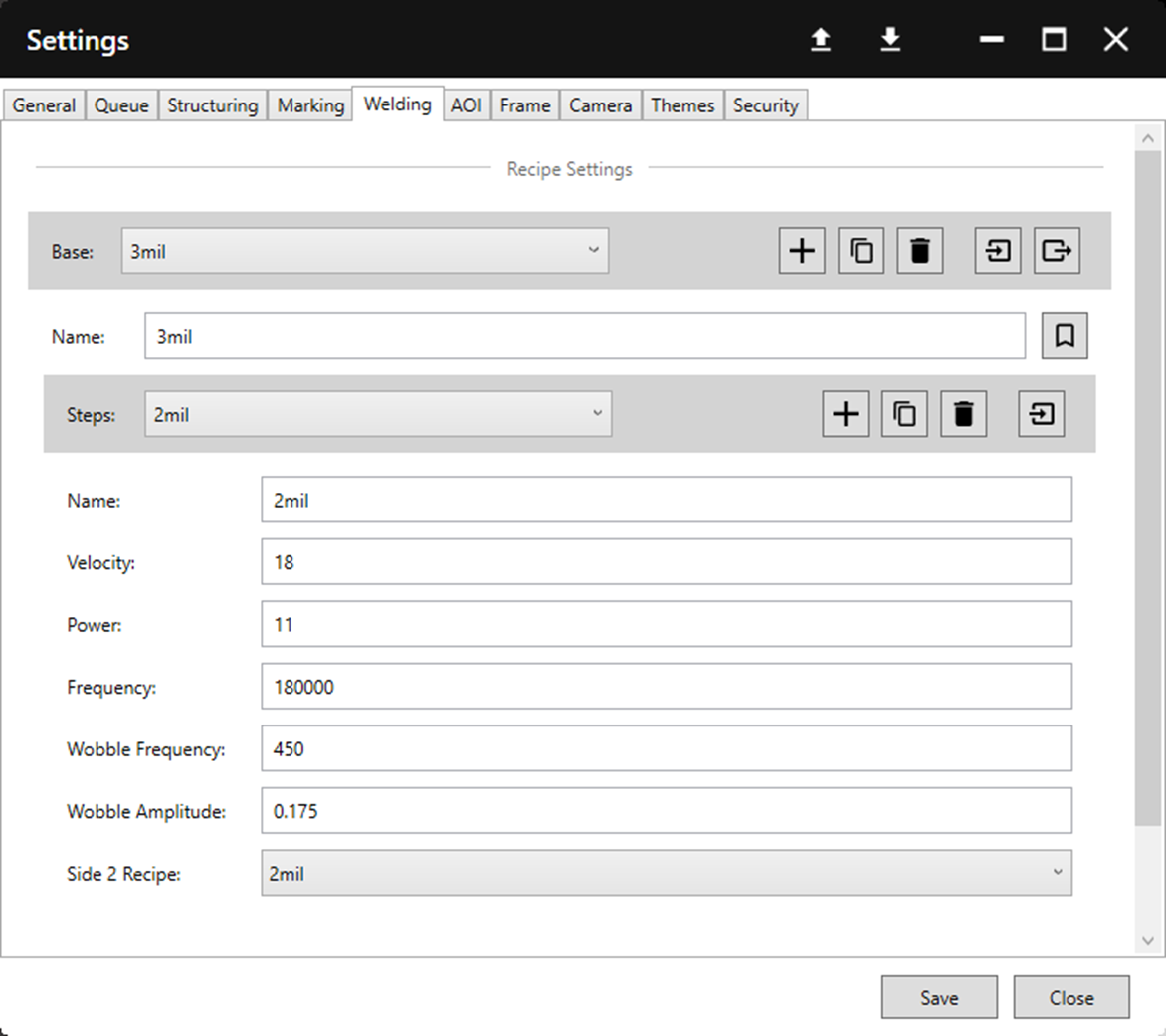
| Parameter | Description |
| Name | Name used to identify the recipe. |
| Velocity | Controls the speed of welding: A higher value will result in faster, lighter welds and vice versa. |
| Power | Controls the laser power during welding: A higher value will result in heavier welds and vice versa. (Must be between 0 and 20). |
| Frequency | Frequency of the laser pulse. This value has been found to effectively produce welds. It is not recommended to change this value. |
| Wobble Frequency | Wobble frequency controls the frequency at which the scanner moves back and forth during welding. It is not recommended to change this value. |
| Wobble Amplitude | Wobble amplitude controls the size of the wobble and therefore weld width. It is not recommended to change this value. |
| Side 2 Recipe | Side 2 Recipe controls the default recipe used for second side welding. During the welding process the opportunity is provided to change this to another recipe. |
A welding recipe is shown below. Each machine and manufacturers process is slightly different and these values may need adjusted to suit.