
It is recommended to back up the settings of the machine (contained within the config file) in an external drive in case the PC is damaged.
To do this, access the version folders here:
"C:\Users\[USERNAME]\AppData\Local\WattLaserSuite\WattLaserSuite_StrongName_*".
*The StrongName folder has additional characters following this name.
This can also be accessed by searching "%AppData%" in the search bar, which opens "C:\Users\[USERNAME] AppData\Roaming\". From there, navigate to the path detailed previously.
location displayed below.
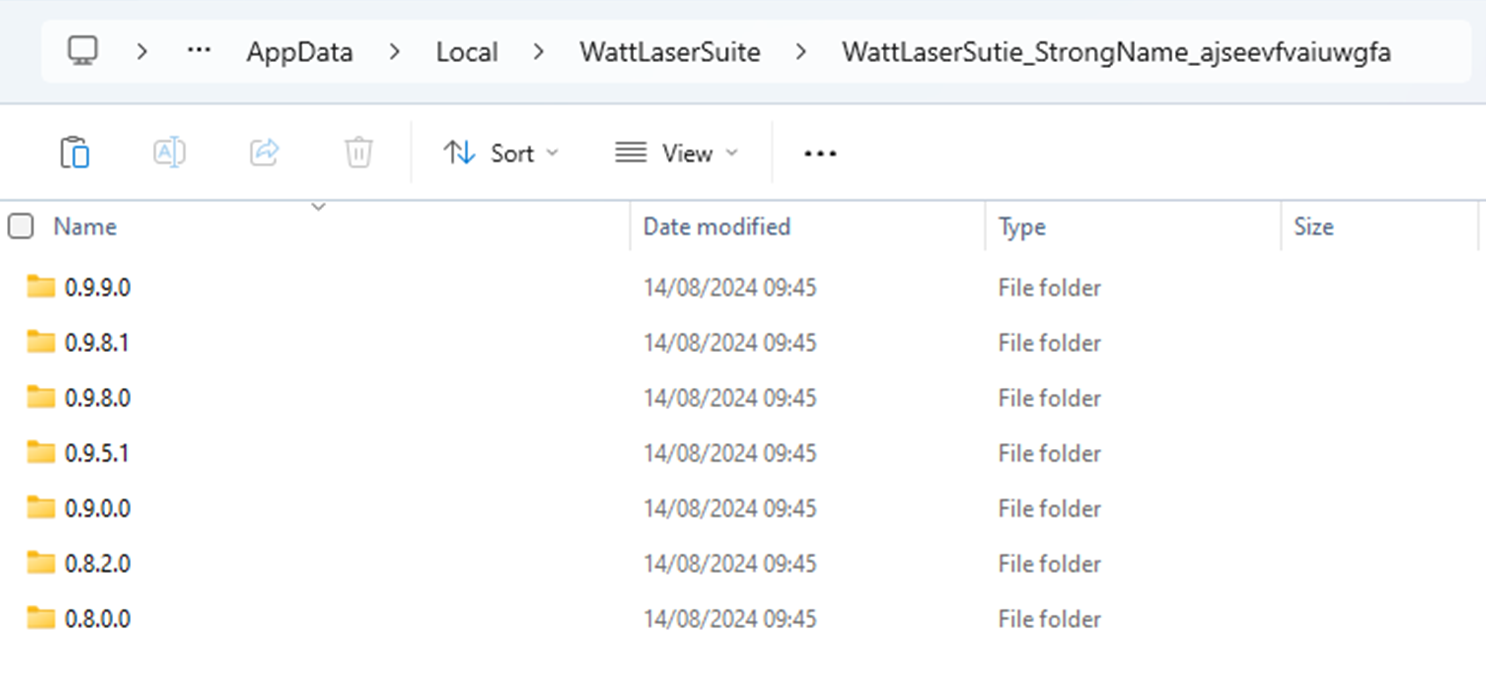
Within each version folder is the associated config file. Access the folder with the most recent Date Modified date.
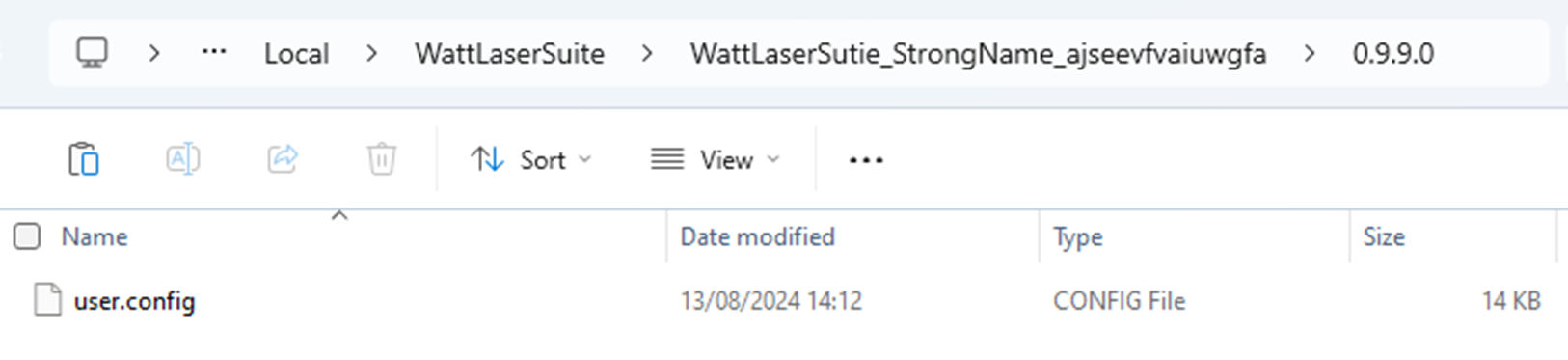
Copy this file and paste it to the desired location. Altering the backup file name to reflect the date it was copied can be useful.