
TABLE OF CONTENTS
Manually Check for Updates
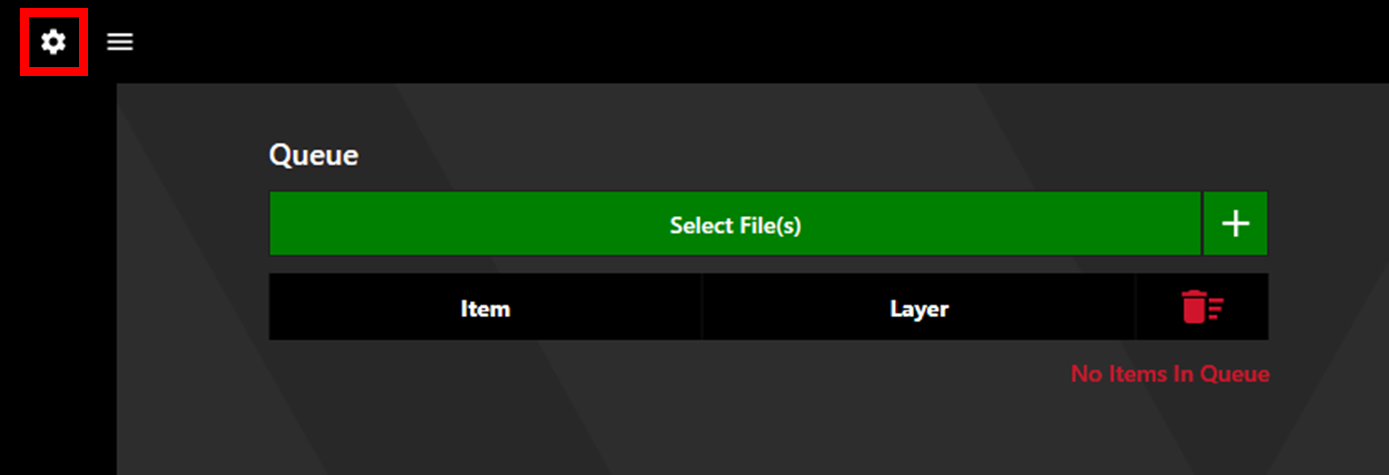
Access the Settings via the settings cog in the upper left corner.
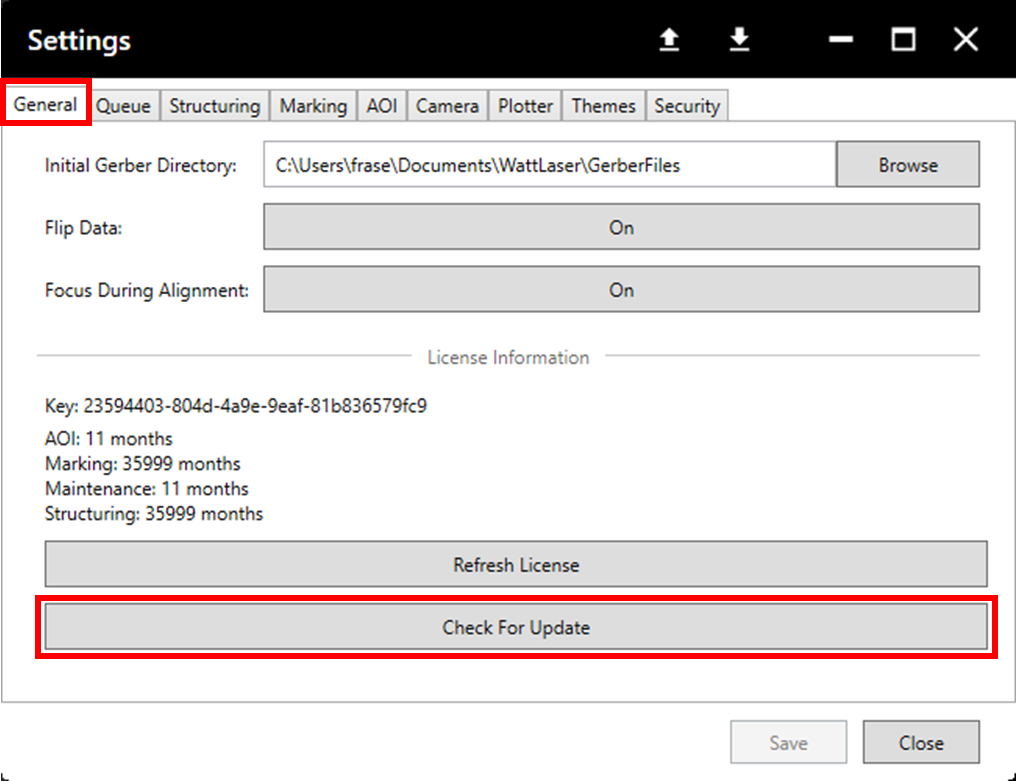
In the General tab, click Check For Update.
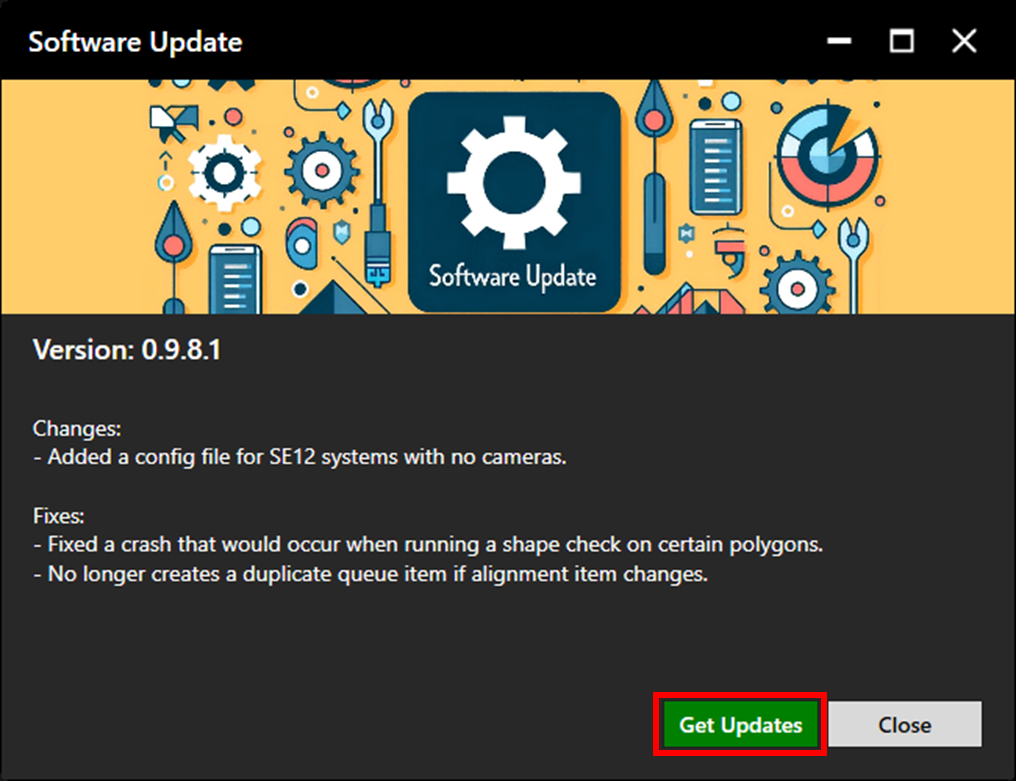
If an update is available, the following window will appear, click on get Updates.
Follow the steps in the install wizard to complete the update. More detail on this can be found in the Install Guide.
Automatic Update Notifications
At midnight each day, if an update is available, the Software Update window will open to notify the operator. If the machine is off at this time, the notification will appear upon start-up.